
If parts of Let’s Calendar (Dashboard, Create Campaign, Send Invite, Date/Time picker, Timezone search, etc.) are not opening, are not visible, or are not working properly, the most common reason is that JavaScript is disabled in your browser.
Let’s Calendar relies heavily on JavaScript to render UI components and handle interactions.
✅ Step 1: Check & Enable JavaScript in Your Browser
Follow the instructions based on your browser:
? Google Chrome
Open Chrome
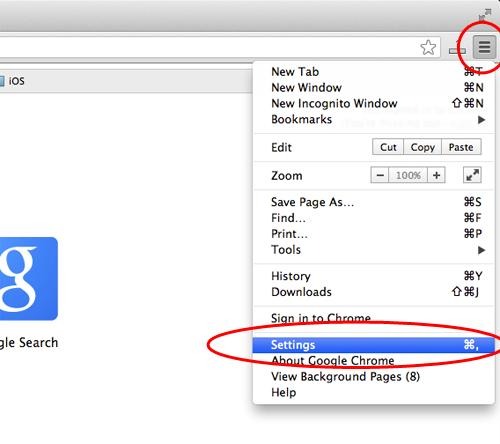
Click ⋮ (top right) → Settings
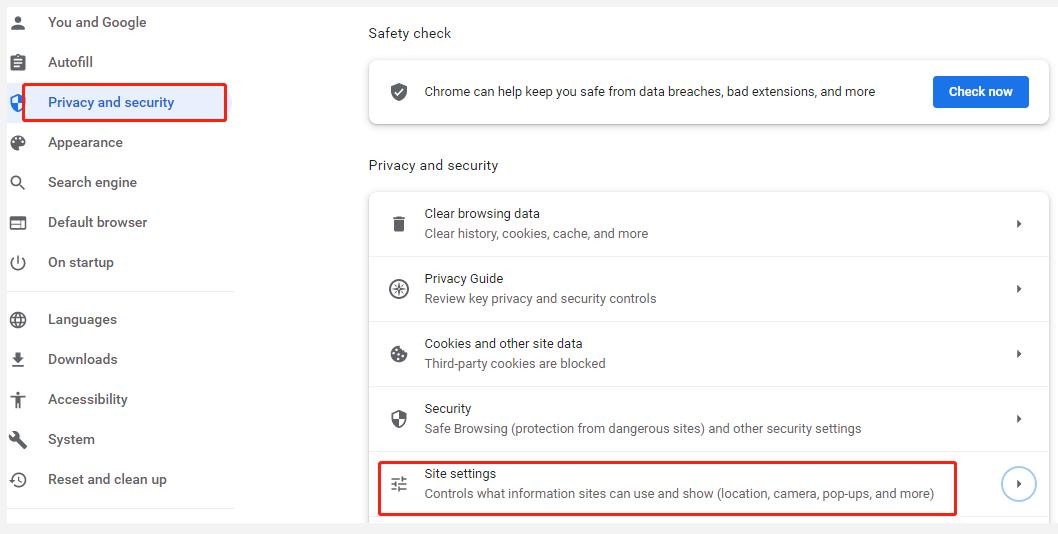
Go to Privacy and Security
Click Site Settings
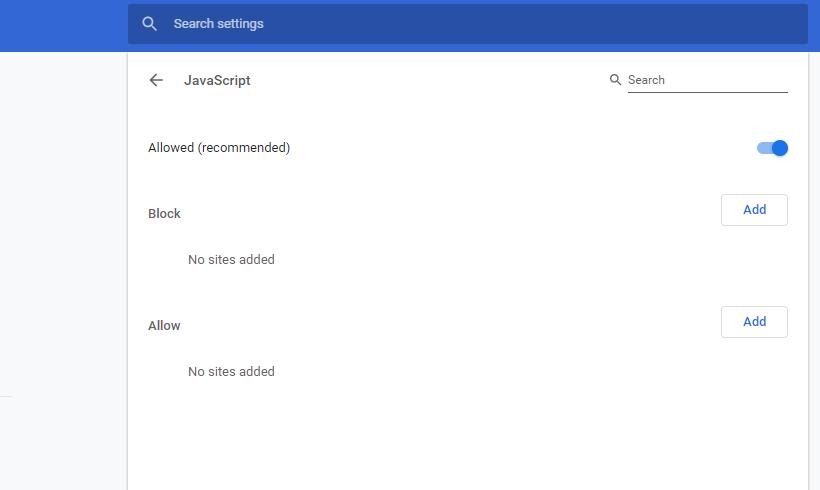
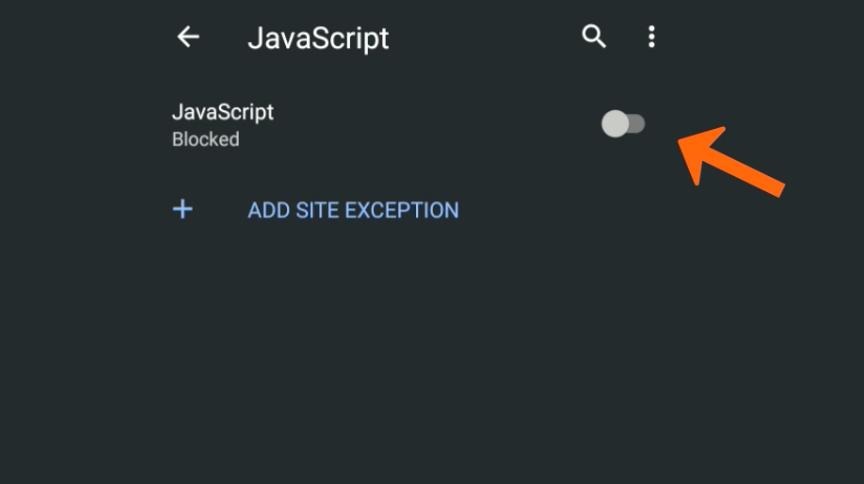
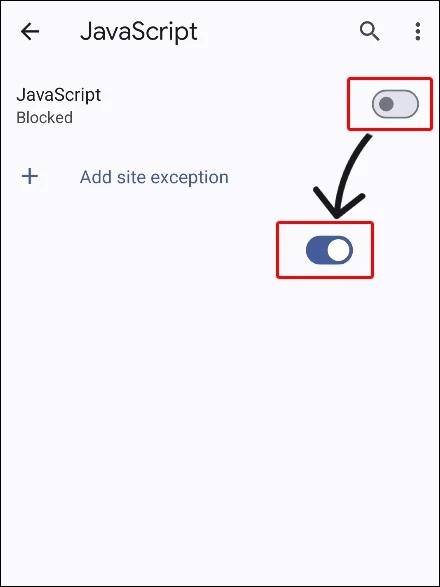
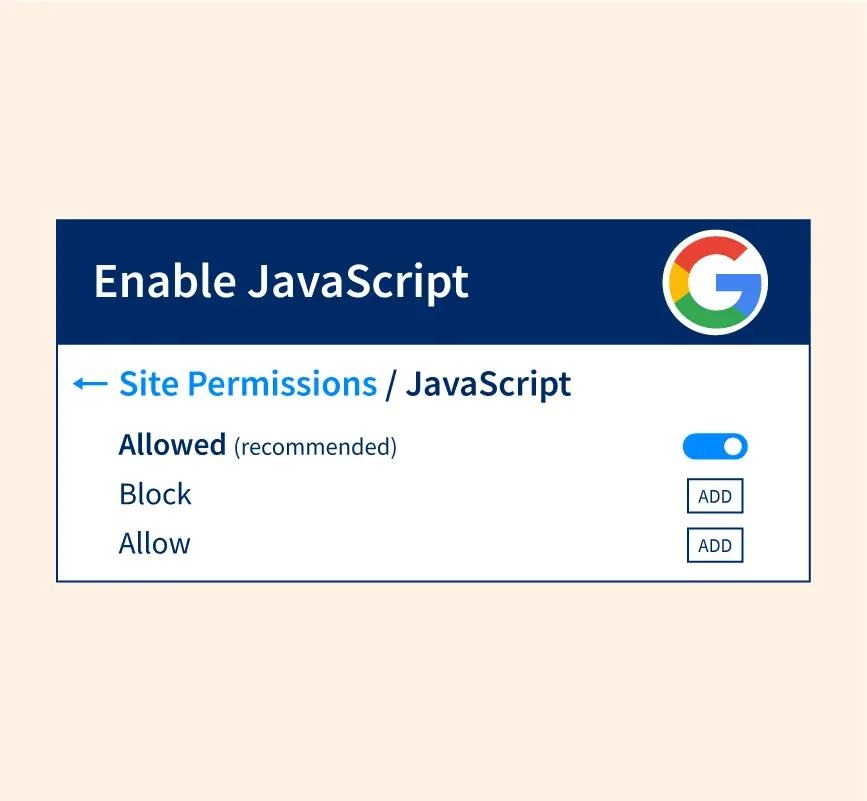
Scroll and click JavaScript
Select “Sites can use JavaScript”
? Also ensure letscalendar.com is not in the blocked list
? Mozilla Firefox
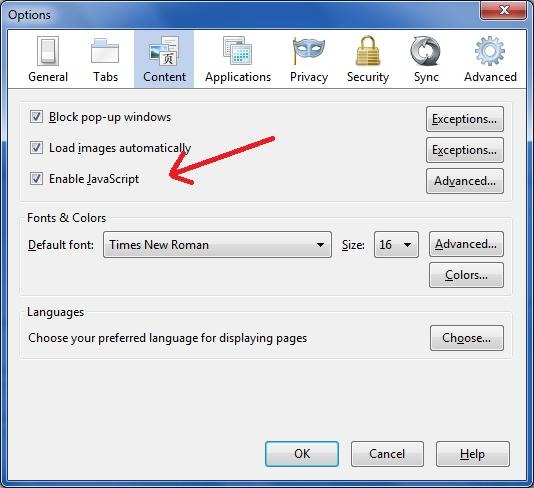
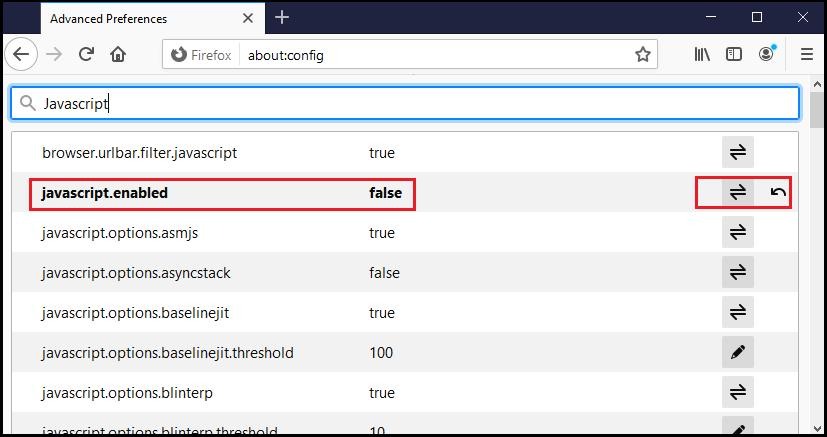
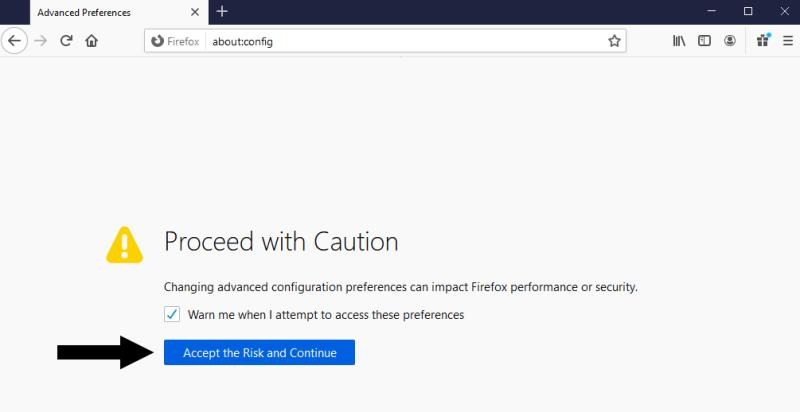
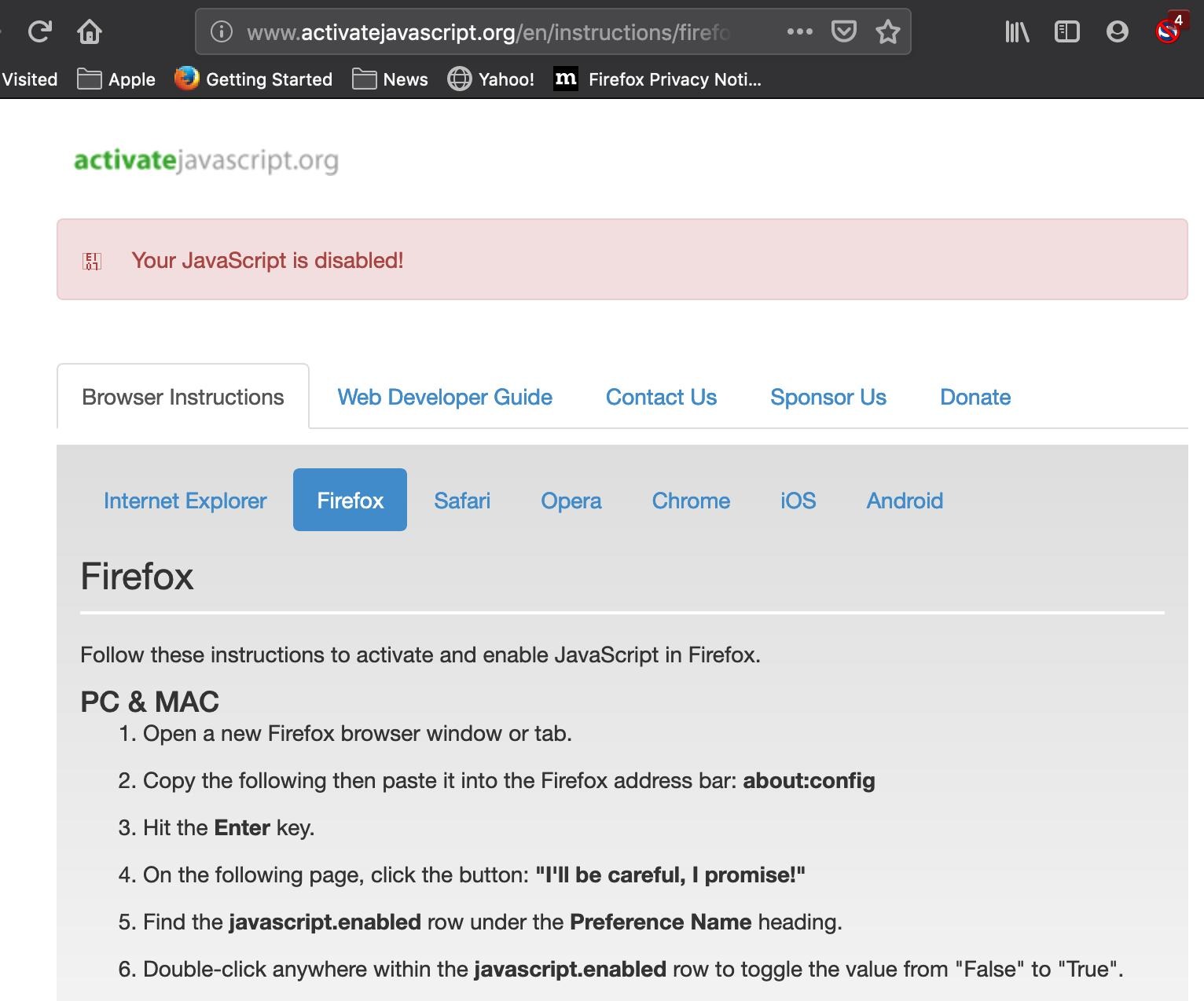
⚠️ Firefox does not provide a direct UI toggle. Use advanced settings:
Type about:config in the address bar
Click Accept the Risk and Continue
Search for: javascript.enabled
Ensure the value is true
? Microsoft Edge
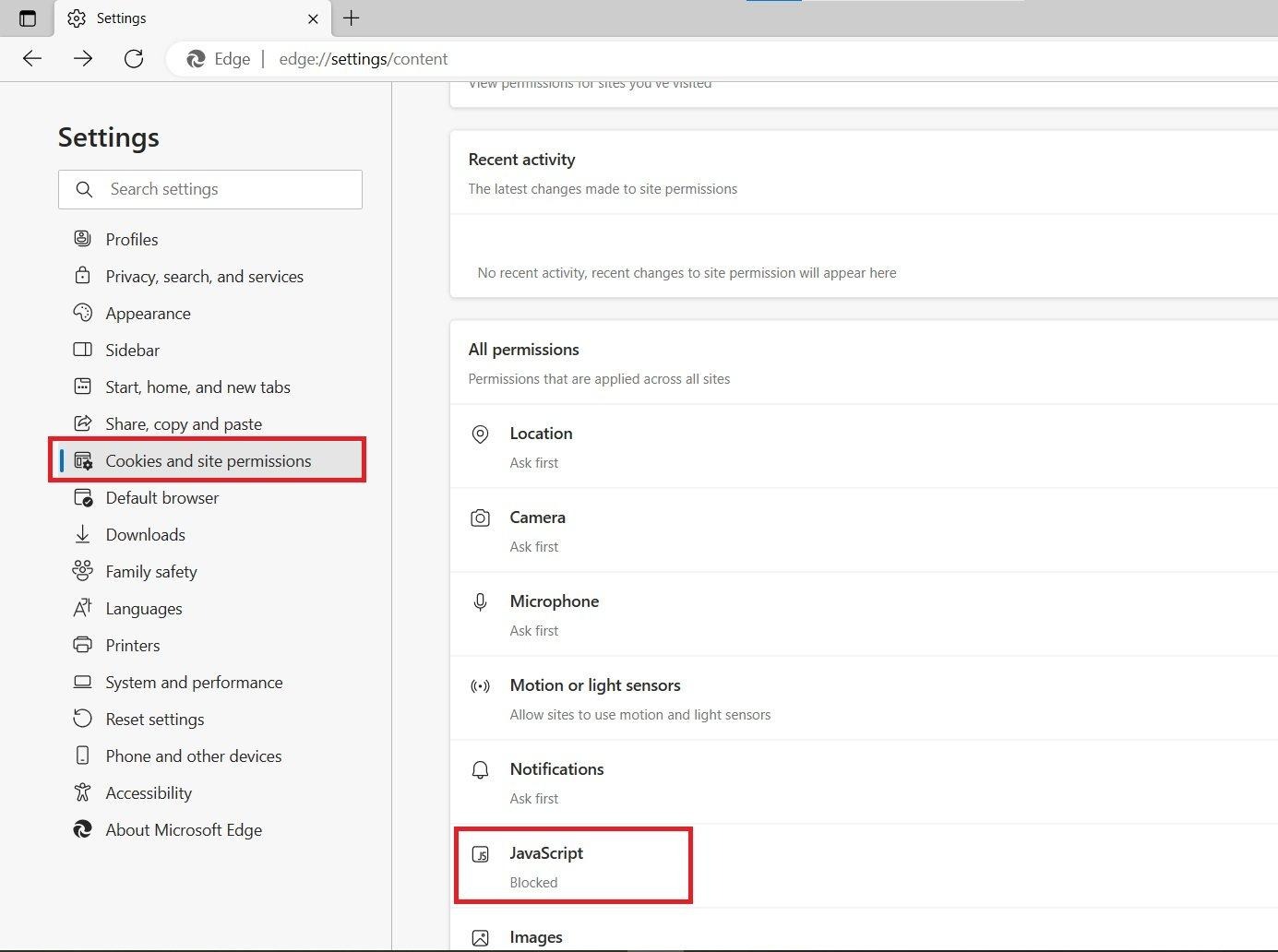
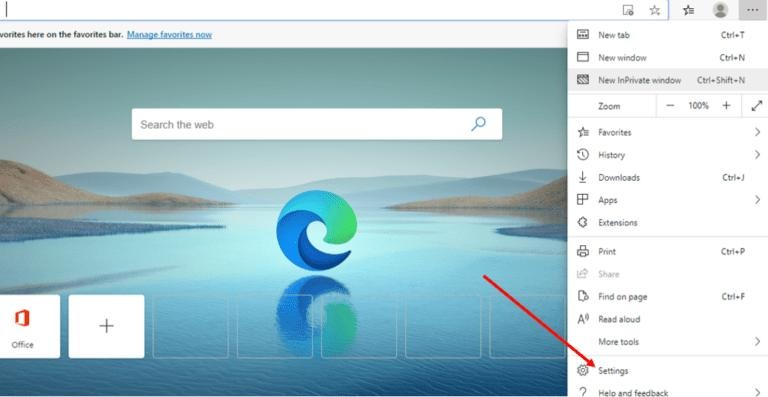
Open Edge
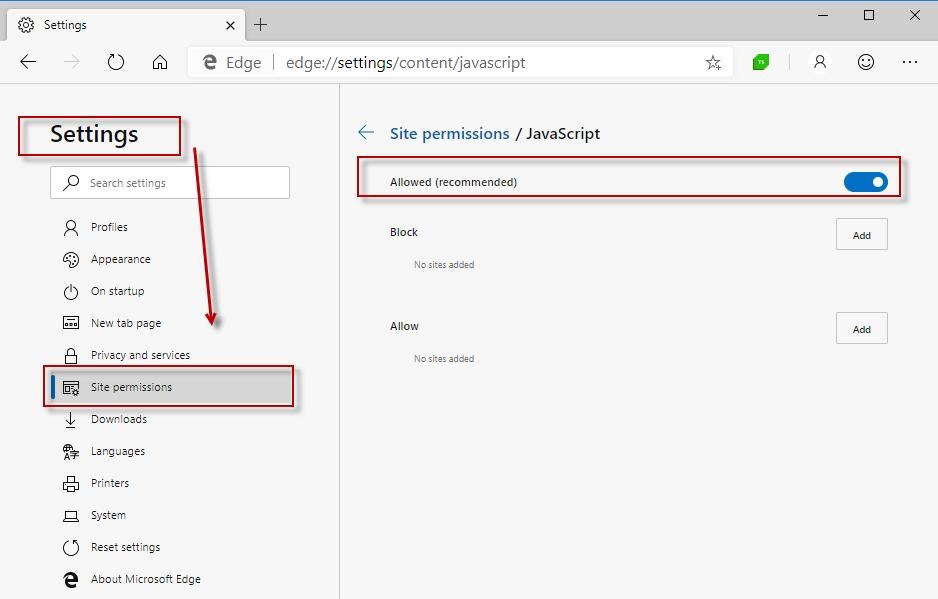
Click ⋯ (top right) → Settings
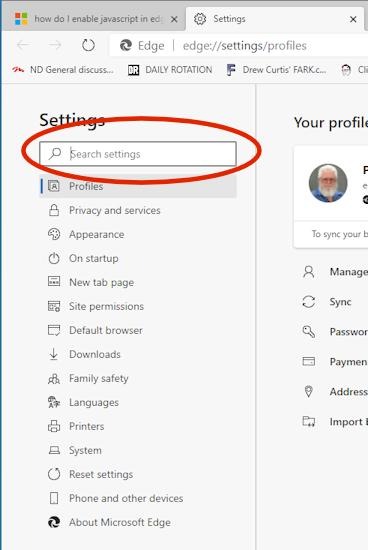
Go to Cookies and Site Permissions
Click JavaScript
Turn ON Allowed (recommended)
? Safari (Mac)
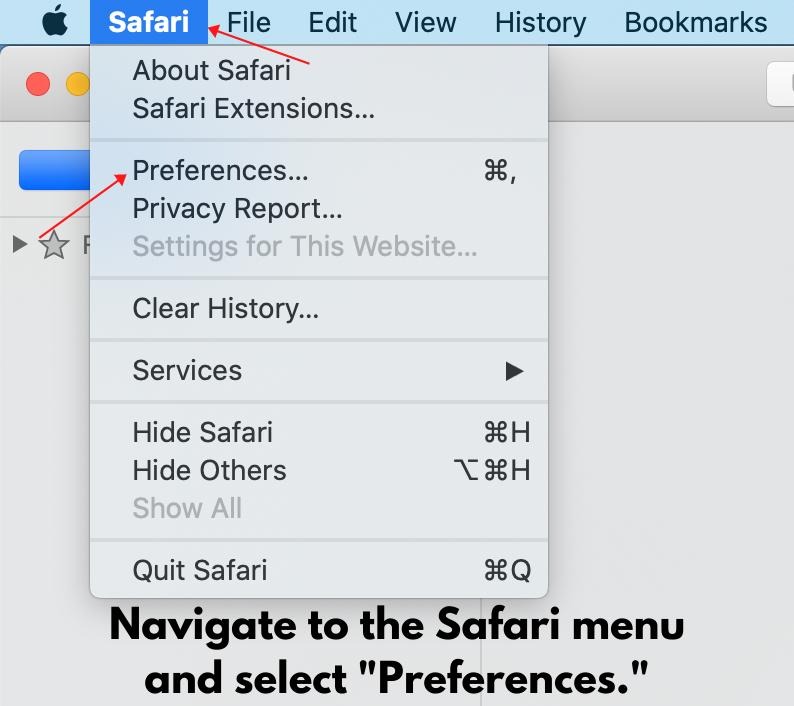
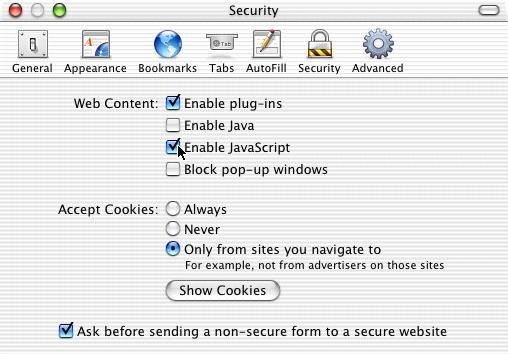
Open Safari
Click Safari (top menu) → Settings / Preferences
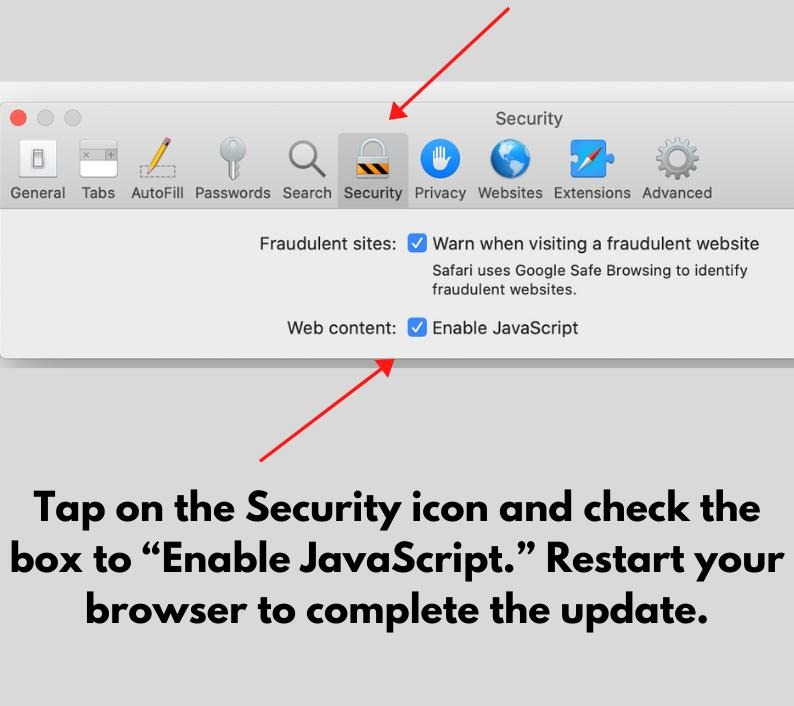
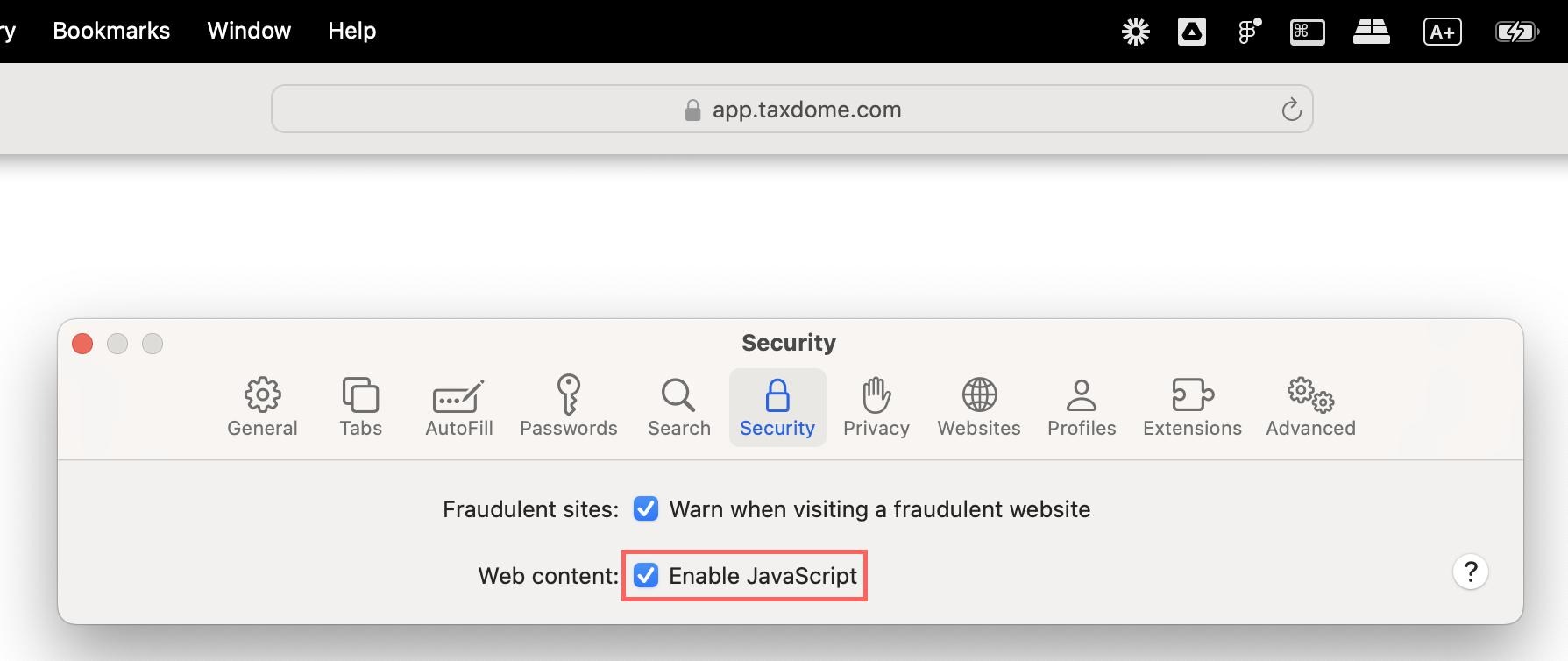
Go to Security tab
Enable “Enable JavaScript”
? Safari (iPhone / iPad)
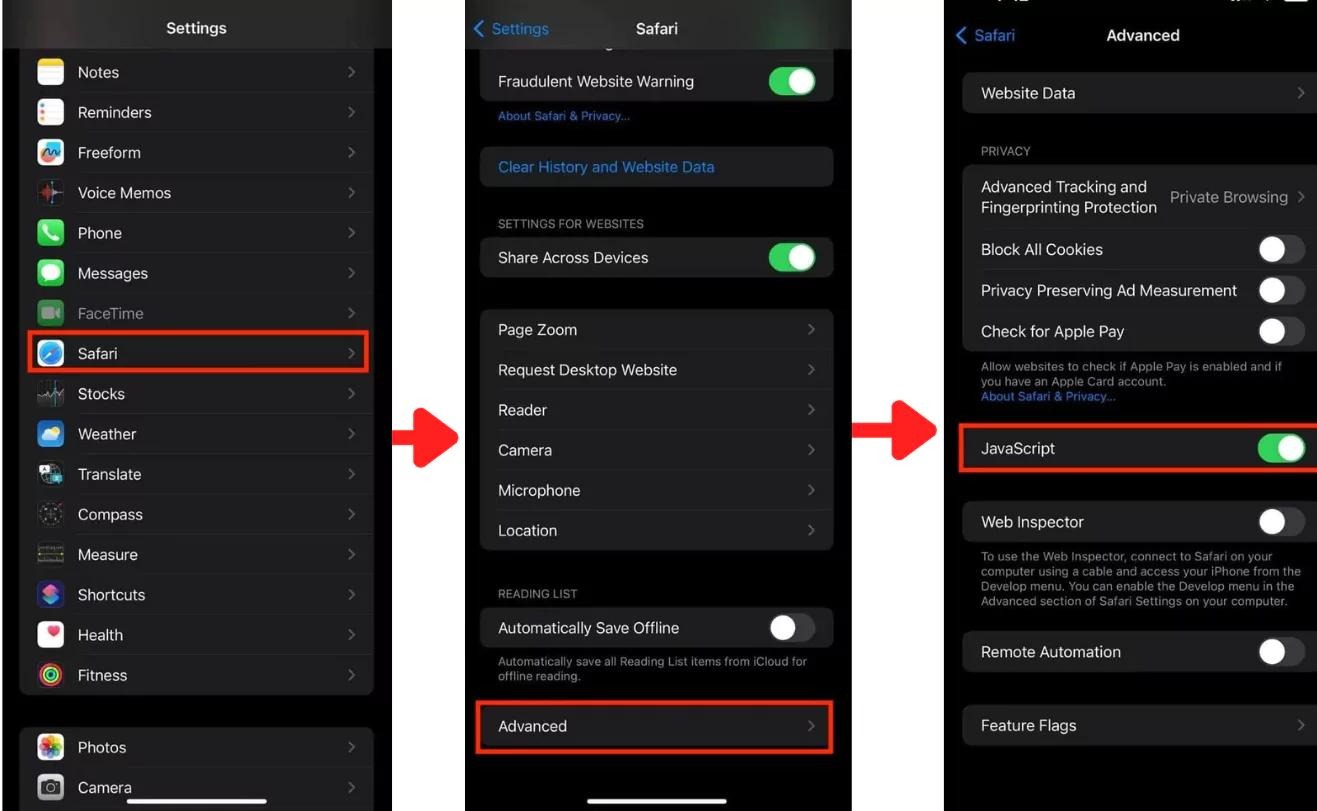
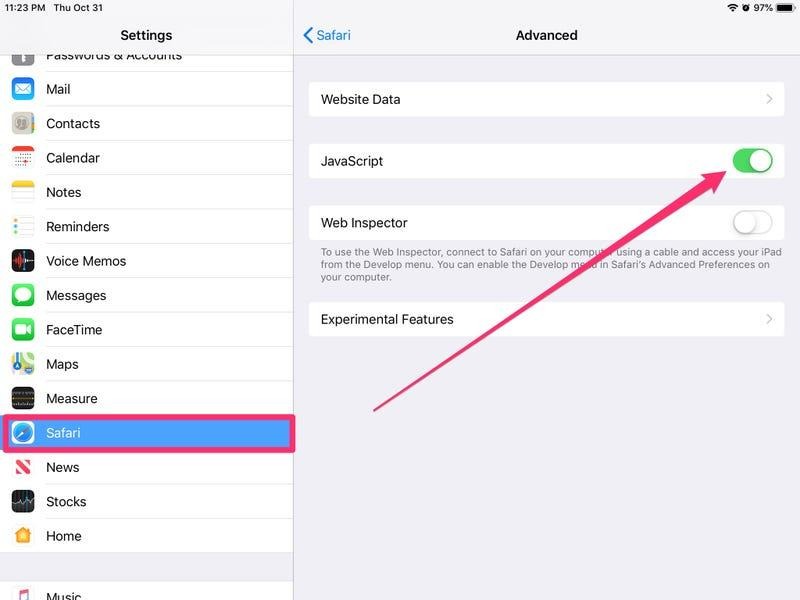
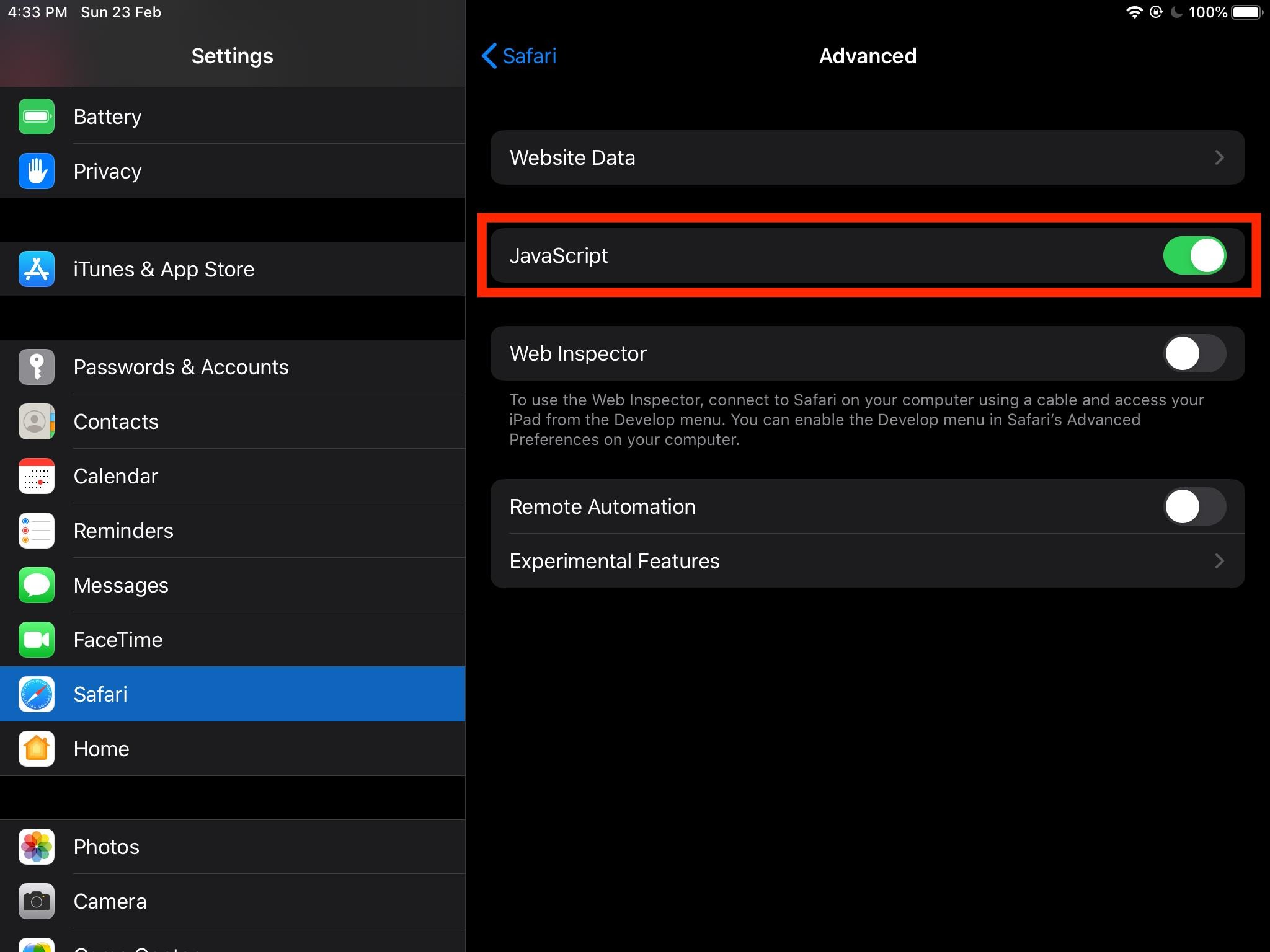
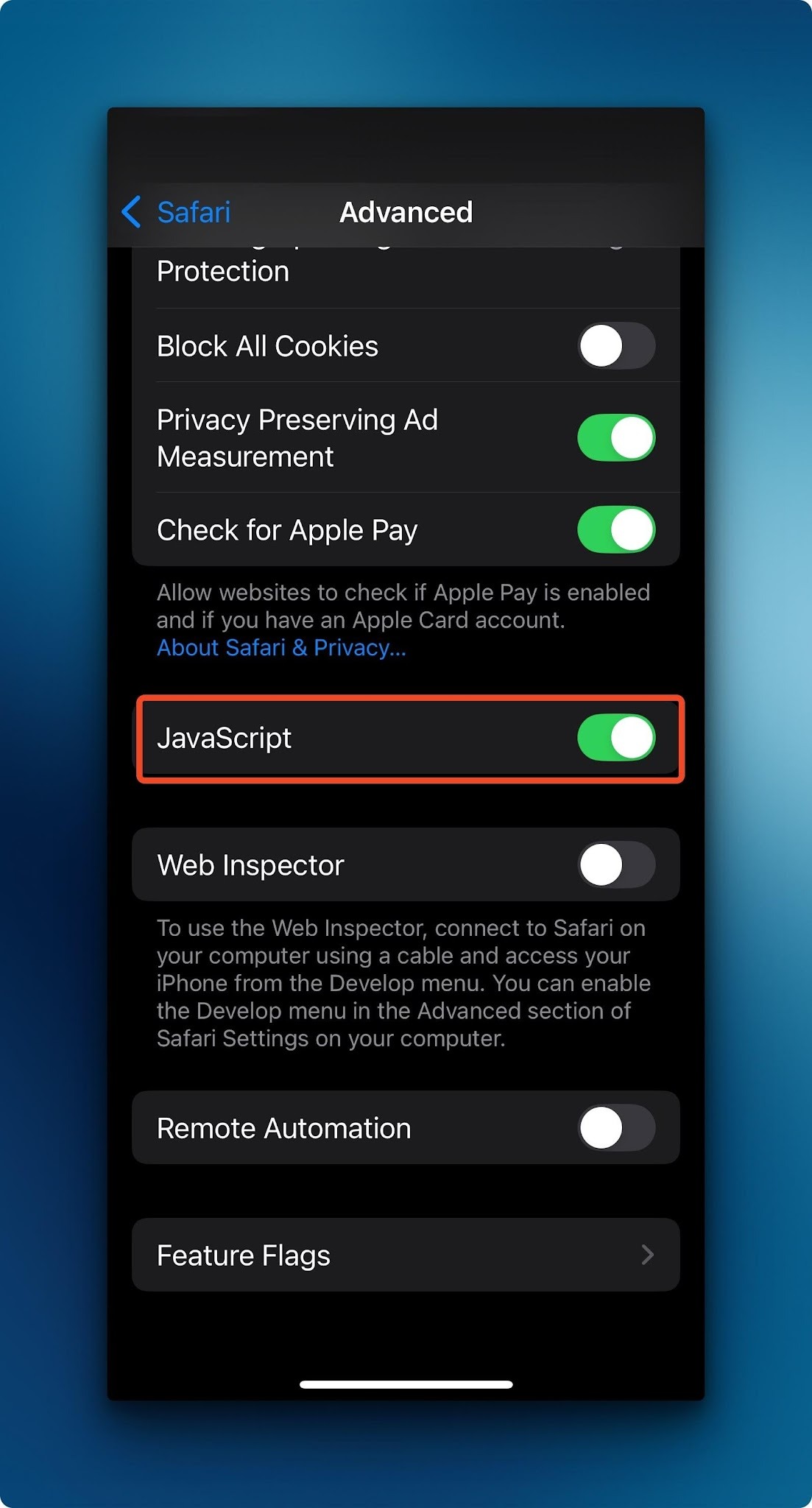
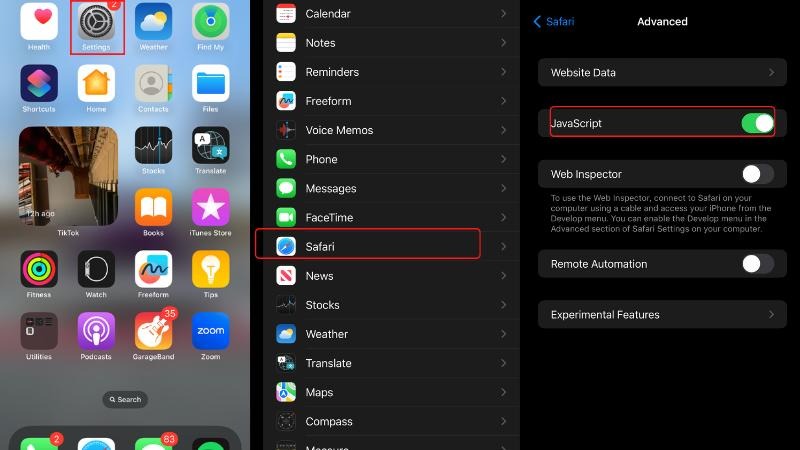
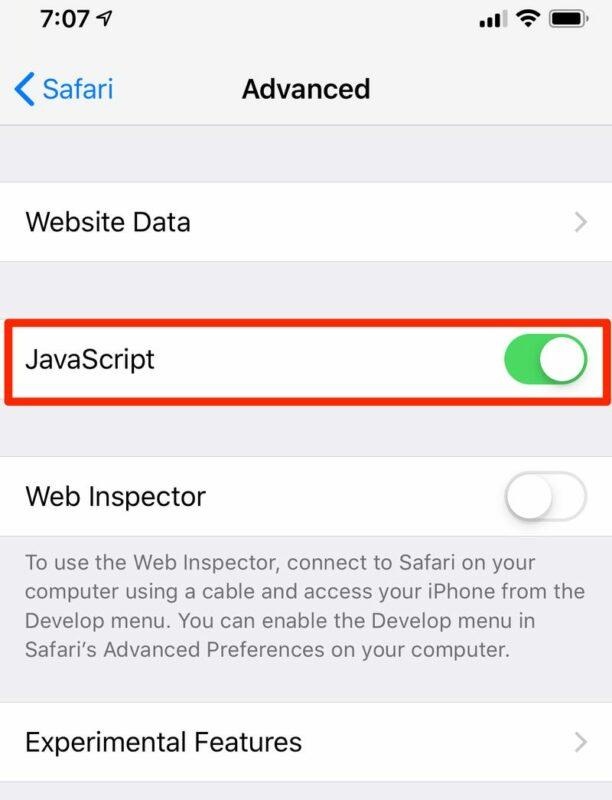
Open Settings app
Scroll → Tap Safari
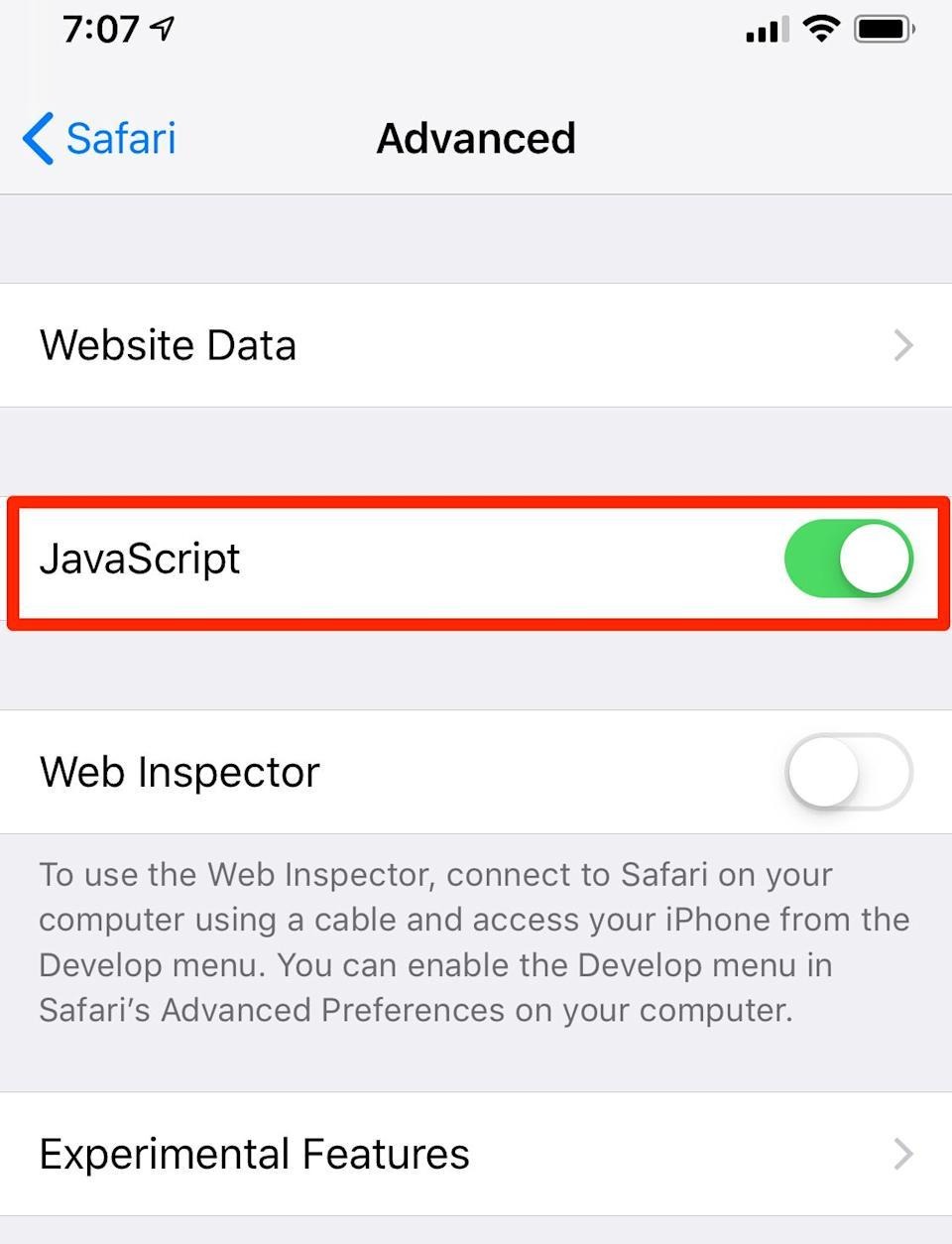
Tap Advanced
Turn ON JavaScript
? Step 2: Reload Let’s Calendar
After enabling JavaScript:
Refresh the page (Ctrl + R / Cmd + R)
Or close and reopen the browser
⚠️ If Issue Still Persists
If the dashboard or features are still not working:
Check the following:
Browser extensions (Ad blockers, script blockers)
Corporate firewall or network restrictions
Outdated browser version
Cache issues (try Incognito / Private mode)
? For Office / Corporate Users
If you are using a company system or network:
? Your organization’s IT / Network Administrator may have restricted JavaScript or certain scripts.
Please contact your internal IT team and ask them to:
Allow JavaScript execution
Whitelist letscalendar.com
Remove any script-blocking policies
? Still Need Help?
If the issue continues, contact our support team:
? support@letscalendar.com
Include:
Screenshot of the issue
Browser name & version
Device (Desktop / Mobile)
Network (Office / Personal)
? Important Note
Let’s Calendar features like:
Campaign creation
Calendar invite rendering
Timezone selection
Date & time pickers
will not function if JavaScript is disabled.